Pepperidge Farms remembers…

I’ve used carbon paper, but it had its last gasp as an office staple while I earning a diploma. I caught the tail end of using overhead projectors to show written documents to large audiences. I can even vaguely remember using a typewriter to fill in some formsPepFarm carrying the dreaded “must be typed” instructions.

Looking back on those items, they weren’t particularly convenient. Using them was time consuming and far from automated. Even so, I have to grudgingly admit that they worked and were all successful at conveying some quantity of information from here to there. What they lacked in convenience and time saving, they more than made up for in reliability. Unless the bulb burnt out, that old heat throwing overhead projector would keep trucking along essentially forever. That’s one of the many beauties of systems with so few moving parts.

By contrast, most of my morning today was taken up by what felt like an endless do-loop of software updates and enforced restarts that made my computer at the office effectively unusable. It made me briefly long for a return to dry erase markers and acetate sheets and when ideas were communicated at the speed of fax. I’m sure that kind of throwback would make me miserable in its own unique way, but in the moment, anything seemed better than spending another moment staring blankly at the startup screen while the machine drug itself through the motions.

By lunchtime whatever gremlins were afflicting my laptop seem to have satisfied themselves with the damage done. I gave getting on with the day the old college try. I really did, but the damage was indeed done. Oh sure, I spent a few hours after that mashing away at the keyboard, but as for how much really got accomplished, well, I won’t be the one to incriminate myself on that front.
How it starts…

I’ve often wondered how it is that old people lose touch with technology – whether that’s the eternal flashing 12:00 of a generation of VCRs to or the firm instance that GPS will never take the place of a glovebox full of paper maps.

Once upon a time, I could build my own computer. Sure, I bought the components off the shelf and wasn’t making my own chips or anything, but I knew the specs I wanted, knew where to order them, and was able to slap the whole bit together into a functioning PC. I haven’t tried (or really even been tempted) to do that since the late 1990s. It stopped being a cost effective use of time. Easier to buy the whole rig off the shelf and go to work.

This afternoon I finally accepted that maybe it was time to update my iPhone playlists – that I probably haven’t substantively changed since the days when I had a Memphis address. First things first, it almost feels like with the bevy of streaming services available now, the whole idea of having a self-curated playlist may be a little old fashioned. It’s like having a bookshelf full of CDs or 45s. Its existence is a throwback to an earlier time. That’s when the first light of recognition came on – the way I like my media delivered is on the verge of being utterly overcome by the march of progress. I like having my “own” copy of my music – even if it’s just a digital representation. I made it from cassette tapes to CDs to mp3s and Winamp skins, to iTunes, but after four format changes, it seems I’m beginning to resist the onrushing future.

I wonder if this is how it starts to go off the rails for me. Am I going to wake up some morning in 2045 and wonder why I can’t make my 20 year old Mac Mini work. Are printers going to someday be as rare as 8-track players? Is this where tech abandons me to the future as I grow more and more entrenched with only the technologies that I fully understand?

I don’t want to be that guy who thinks of every device as a damned infernal contraption. There’s some way to head that off, right? Some magic bullet that will let us stay attuned to what the kids these days are up to?

I’m not ready to live in a world where the best device I ever bought is one I have already.

Interoperability (or lack thereof)…

One of the only bit of electronics I haven’t managed to really set up yet is getting all my devices to play nicely with one another yet. The current state of affairs has me forever wondering whether the files I’m looking for are on the desktop, the laptop, the external hard drive, or somewhere in the could. This is obviously an unacceptable situation… and the one that it looks like I’ll spend the balance of the evening trying to wrangle. As much as having the occasional cardboard box sitting around is unpleasant, trying to run the house on tech that isn’t communicating is downright intolerable.

Skynet…

I keep seeing these Terminator-esque news stories pop up fueled by fear of computers gaining sentience and destroying humanity. Apparently it’s an actual concern and not just something you see on TV. I can’t quite bring myself to lose sleep over it, though. As long as Facebook keeps prompting me to “like” 5k runs and exercise clothes, I’d say we’re all pretty safe from Skynet. I realize an inordinate number of my friends have this strange obsession with running for “fun”, but I’m not going to be in the same town as that bandwagon at any time in the foreseeable future. I have a feeling it’s safe to assume that if our would-be evil computer overlords can’t get the advertising right, AI clearly isn’t quite ready for prime time. Sleep well Sarah Connor.

(Power) Failure…

When you’re in information worker, the one thing you absolutely need to do your job is electricity. Without that one basic staple of modern life, all the other bits and pieces are pretty much irrelevant. Look around your office and name three productivity tools that you can still use if the power is out. And no, you stapler, hole punch, and tape dispenser don’t count as productivity tools. Computers, printers, email, address book, you name it and without electricity they’re not worth a dime.

Going grid down in the middle of the day only serves to remind me how utterly incapable of doing my job I’d be in a real-world long term power outage. I’m a little more prepared to deal with that kind of eventuality in my personal life, but as far as answering the question “How will you do your job when the lights go out?” I’m mostly left to shrug and wish I’d have thought to stash a deck of playing cards in my desk for just such an eventuality.

We’ve raised an entire generation, myself included, who have no idea how things worked before there was a computer on every desk. If I were a boss, it’s the kind of problem that might keep me up at night. Since I’m most decidedly not a boss, I’ll remember in the future to make sure my Kindle is fully charged before leaving the house in the morning from here on out.

Then there’s the set up…

I’m coming to you live and direct from a freshly unboxed 2013 MacBook Pro Retina. My assessment after thirty minutes of dinking around and loading software is that it’s a slick little machine. So far I’m impressed with what I’ve seen. Then again, the fact that it didn’t take half the damned day to boot up practically seems like a feat of magic at this point.

The first thing I noticed, of course (aside from how fast it is), is that the screen is absolutely beautiful. I knew it would be better than what I was use to, but I hadn’t realized just how much better it was going to be. Everything is a little “squished” since I’m coming from the 15-inch model, but after adjusting some muscle memory I’m sure I’ll adapt to it fairly quickly. Now it’s just a matter of setting it up the way I want it and making sure it can see all the network drives. Good times on this first day of a 5-day weekend.

Bottom line early assessment: It’s light, it’s fast, it’s a work of friggin’ art. Basically it’s everything that Apple said it was. If you find yourself in the market for a laptop and don’t mind paying the inevitable Apple Tax, it would be well worth your time to give the new Pro line a look.

Out to pasture…

The reliability of my venerable Late 2008 MacBook Pro has reached such an unfortunate state. Despite my best efforts at salvaging the situation, it is time to retire the poor, battered contraption. Assuming all goes to plan, this will be the last post from an aged, and increasingly temperamental machine.

As much as I love new tech, parting company with this first of the aluminum unibody Mac laptops is bittersweet. You see, it comes with history. Or at least some personal history.

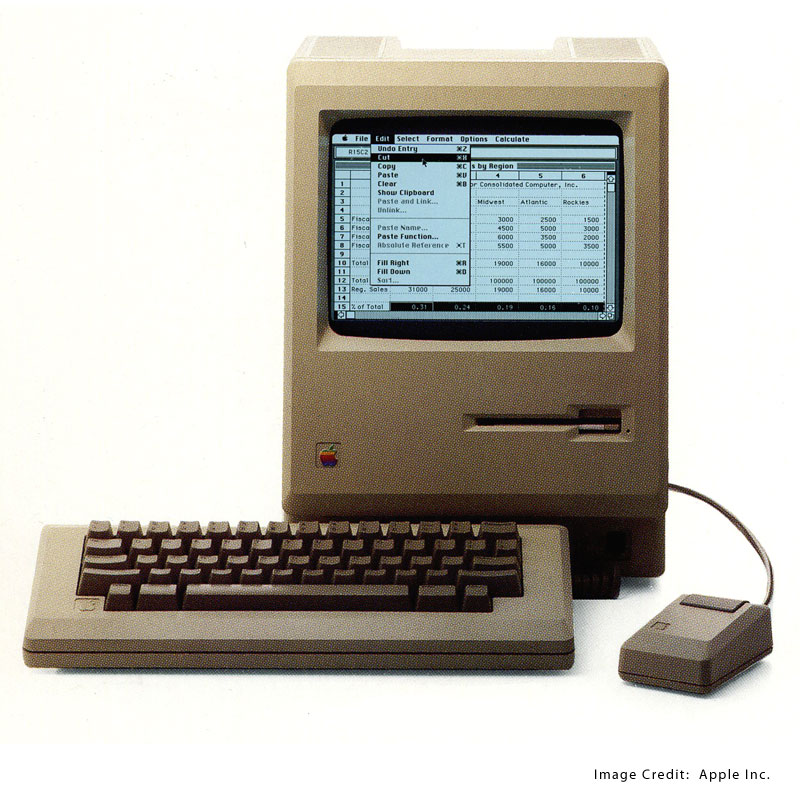
The first computer I ever used was an Apple Macintosh. There were six of them squirreled away apple_macintoshin a back room of the library at George’s Creek Elementary in the mists of pre-history (AKA the mid-1980s). I was probably all of eight or nine years old. We eventually added one at home too – my entry into having a real “personal” computer. That little beige box met all of the household’s computing needs for almost a decade.

The year was 1995. Enter Windows. I got my first Compaq desktop and never looked back. I was a committed Windows user from there on – building a series of progressively more powerful machines. That lasted for more than a decade of upgrades, new towers, and laptops until finally it ended with a puff of acrid smoke from the back of a Gateway laptop on March 20th, 2009.

Apple lured me back, not with a computer, but with a phone. I was so enamored with the engineering prowess in that first iPhone that I thought surely they know how to build a computer. And they did. The machine I’m typing this on outlasted generations of new computers, three major OS upgrades, and in almost five years didn’t so much as hiccup on anything I asked it to do. Right up until the point where it started choking on everything, of course.

Like every other bit of electronic kit, my ’08 model has reached a point in its service life when it is simply uneconomical to repair. In the finest tradition of American consumerism, I will therefore shunt it unceremoniously aside in favor of a newer, shiner model. But I won’t do it without posting one last blog from the machine that brought you every single word ever published on jeffreytharp.com, two ebooks, and spewed snarky commentary from one end of the internet to the other. It deserves at least that much for its years of good and faithful service.

iPads for inmates…

So, I see that Attorney General Gansler wants to issue tablet computers to Maryland inmates. My initial response was that I couldn’t possible have read that article correctly. Surely the AG is pushing to restrict inmate’s access to the internet, email, and phone services that connect them to the outside world. After all, didn’t we just find a jail in Baltimore City where the inmates were quite literally running the asylum in part due to cell phones that had been smuggled in to them by members of the corrections staff? What in the name of high holy hell makes the AG think that giving everyone access to these devices would result in something different? Surely inmates with nothing but time on their hands would never conjure up a means of using these computers to communicate amongst themeslves as well as with the outside world. I can’t imagine how a prison full of inmates snapchatting with one another and their friends beyond the wall could possibly go wrong.

Sigh. The best part, the part that I really love, is that while I’m sitting here living with a 4-day a week paycheck, the esteemed Attorney General of Maryland and an assumed candidate for governor wants to spend $500 an inmate to give them these computers. Are you shitting me? Inmates get three meals a day, a bed, and a roof over their precious little heads. They get cable, a library, exercise equipment, and a host of other “privileges” if they’re not complete douchtards (by the standards of the corrections system). And now the AG wants me to think that spending another $500 a head is a good idea for these people who broke what I can only assume was some kind of major law – because let’s face it, if it was a minor infraction they’d have paid a fine or done 30-days and been out.

I’m a simple man. I really only want to hear about prisoners in a couple of contexts: 1) Making license plates; 2) Picking up trash along the highways and byways of the jurisdiction in which they are incarcerated; 3) Turning big rocks into little rocks; or 4) The news report where Inmate X was executed last night for rape, murder, or some other heinous crime. I don’t want to hear about their troubled childhood, or their anger management issues, or getting them the same computer that I’ve had to go out and earn an honest living to buy for myself. I want them to work demanding, physical jobs, so at the end of the day the only thing they can even thinking about doing is going to sleep.

That’s not how we roll here in the People’s Democratic Republic of Maryland. Oh no. We’d rather take money from the taxpayer and fund whatever half assed, bleeding heart program the sociological flavor of the day dreamed up to pass off as public policy.

This has been the first in an occasional series of posts where Jeff answers questions or opines on topics submitted directly by the readers.

Always on…

If your work involves a computer connected to the internet, you’ll know that there is something far more sinister that a normal network outage. When faced with a total disruption, you can at least try to make the best of it and do something that doesn’t require accessing the internet. What’s more insidious than a total failure of the network? It’s the dreaded “intermittent network connectivity issues” message that shows up during one of the windows when the internet is actually working.

As far as I can tell, the intermittent problem is far worse than a full blown outage. It means you’re going to sit at your desk and keep hitting refresh or resend indefinitely – locking you into a kind of electronic purgatory of endless spinning status icons and error messages interspersed with occasionally glimpses of the wonderfully connected word of the interwebs that exists just beyond your office firewall. For someone whose job is mostly based on gathering, analyzing, and moving large amounts of information from Point A to Point B, it’s the contemporary equivalent of Chinese water torture or death by a thousand cuts.

In any case, it’s intolerable. I’m beginning to lean towards always-on, high-speed internet streaming to your computer and phone being the civil rights crusade of the 21st century.

Money well spent…

Since I’ve gotten serious about converting my DVD collection over to an all digital format, I’ve been trying to limp along using the DVD player on my 2008 laptop to do the ripping and converting. Lets just say that it was not as efficient as one might like. Since Apple has decreed that no one using one of their Minis needs an optical drive, that pretty much left the option of picking up an external DVD/RW and doing the ripping and compression on the much more powerful Mini. In the space of a couple of hours this afternoon, I ripped and loaded into itunes five movies using the new drive… while at the same time ripping three TV episodes using the laptop. That’s not exactly a 1-to-1 speed comparison, but it’s a pretty good indicator that the external drive will prove to be money well spent.

If I can do one or two disks a day – usually one before I leave for work in the morning and another before I go to bed – I can have this done sometime in the early part of the new year, instead of sometime about a year from now using just the laptop. Sure, I could use the laptop to get the job done, but why put an otherwise reliable and perfectly serviceable machine through a year long stress test when I can use the faster option for $40? So far, I’ve converted hald a doze random movies, all four seasons of The Tudors, and the first three seasons of Buffy (Yeah, I know. Stop smirking out there.). When I get this little project finished, I promise I’ll envite everyone over for movie night. Based on early estimates, we should have about 200 days of interrupted viewing ready to stream to every TV in the house.